
How to register
A WNLQ9 account lets you save lists, keep your taste profile on every device and see prices. It takes about 2 minutes.
Before you start
- An email address you can open right now
- A password of at least 8 characters
- You must be 20 years of age or older
1Step 1
Open the sign-up page
Go to wnlq9.shop and tap “Log in” at the top right, then tap “Register”.
Or open the direct link: wnlq9.shop/register
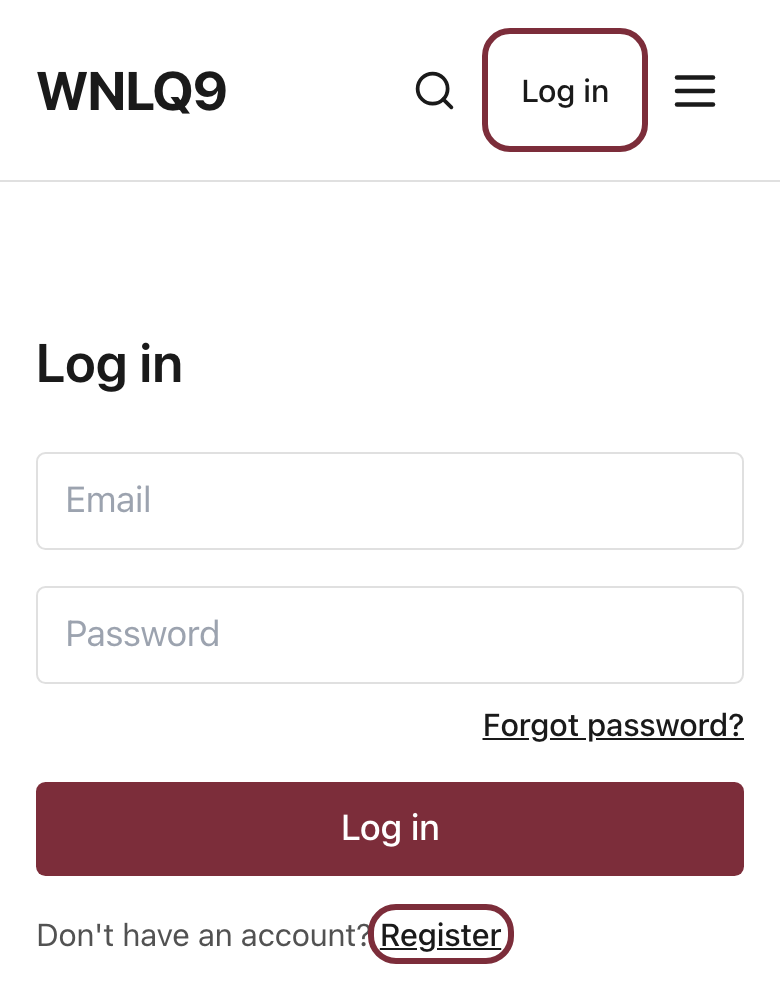
Example screen. Your details will be different. 2Step 2
Enter your email and password
Type your email and choose a password of at least 8 characters.
Tick the box to confirm you are 20 or older, then tap “Create account”.
If a security check appears, complete it before you tap the button.
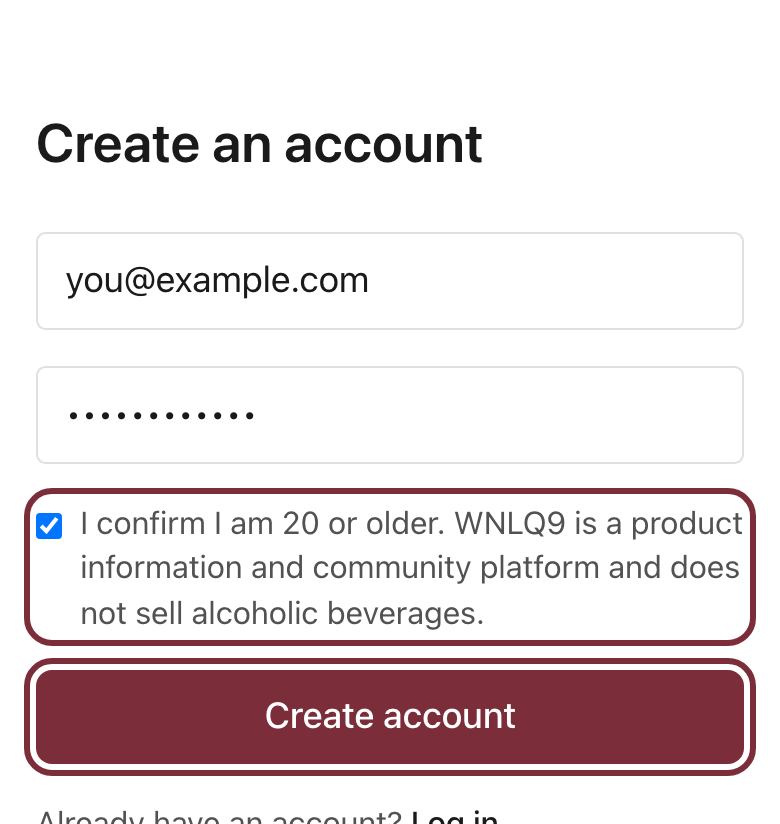
Example screen. Your details will be different. 3Step 3
Confirm your email
We send you an email with a confirmation link. Open it and tap the link.
The email can take a few minutes. Check your Junk or Spam folder too.
4Step 4
Your account is ready
After you tap the link you are signed in and land on your Welcome page.
Whenever you are signed in, prices are shown across the site and your lists are saved to your account.
Having trouble?
I did not get the confirmation email
Wait 5 minutes and check your Junk or Spam folder. Make sure the email address was typed correctly. If you registered before, you may already have an account: try Log in instead.
I forgot my password
On the Log in page, tap “Forgot password?” and follow the link we email you to set a new one.
The site says I must confirm I am 20 or older
Tick the age box under the password field. WNLQ9 accounts are for adults aged 20 and over only.
Still stuck?
Message our team on LINE with the email you used and we will help you finish.
Message us on LINE